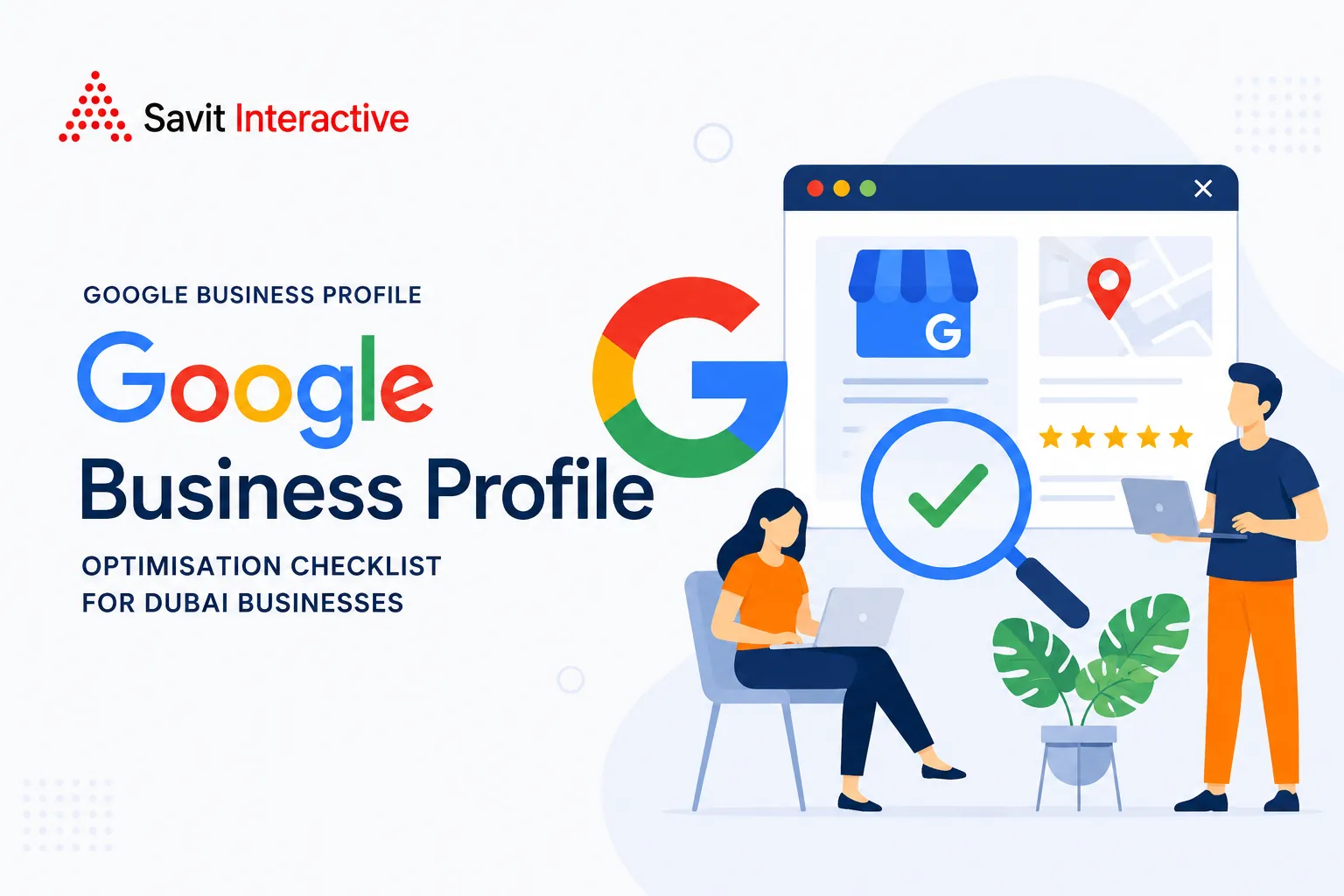
The complete Google Business Profile checklist for Dubai businesses, covering setup, content, reviews, citations and local search performance.
When someone in Dubai searches for “dentist near me”, “real estate agent in Downtown Dubai” or “Italian restaurant in JBR”, the first result they see may not be a website.
It may be a map.
Google Business Profile can place a business directly in Search and Google Maps, giving potential customers access to its location, opening hours, reviews, photographs, services and contact options before they ever visit the website.
That makes your profile more than a digital listing. For many local businesses, it is the first storefront a customer sees.
Google confirms that complete and accurate Business Profiles are more likely to appear in relevant local searches. It also says local results are primarily determined by relevance, distance and prominence. Reviews, links and other information about the business contribute to prominence.
For a Dubai business, this creates a practical question: how do you make your profile more useful, trustworthy and competitive?
This Google Business Profile optimization checklist breaks the process into three stages: setup and accuracy, content and categories, and trust and engagement. It also covers the local citations that support your profile beyond Google.
Key Highlights
- Your business name, category, address, telephone number and opening hours form the foundation of your profile.
- Google says complete and accurate information improves your chances of appearing in relevant local searches.
- Reviews, useful responses, photographs and business information help customers evaluate a business before they make contact.
- Your Google profile does not exist in isolation. Consistent business information across credible external sites strengthens the wider local search presence.
- Dubai businesses should account for local details such as Ramadan and Eid hours, neighbourhood-specific searches, bilingual customer service and legitimate UAE business credentials.
- Performance should be measured through searches, calls, website visits, direction requests and other customer actions, not just profile views.
The Complete Google Business Profile Optimisation Checklist
A strong profile begins with accuracy.
Adding photographs or publishing updates will not compensate for a wrong address, unsuitable business category or outdated telephone number. Google itself recommends keeping Business Profile information complete and current because this helps customers understand what the business does, where it is and when they can visit.
Use the following three-phase checklist as a working process rather than a one-time setup exercise.
Phase 1: Setup and Accuracy
1. Claim and verify your Business Profile
✓ Claim the profile
✓ Complete Google’s verification process
✓ Confirm that you have owner or manager access
Verification confirms that you are authorised to represent the business.
Do not create multiple profiles for the same location simply because you want to target several neighbourhoods. A genuine business location should have an accurate profile that customers can actually find.
2. Use the real business name
Your profile name should represent the actual business name used in the real world.
Avoid adding keywords, locations or promotional phrases purely because they contain useful searches.
For example:
Correct:
Al Noor Dental Clinic
Problematic:
Al Noor Dental Clinic Dubai Marina | Best Dentist | Dental Implants
Google’s guidelines prohibit unnecessary information in the business name. Keyword stuffing can create policy problems and may lead to profile restrictions.
3. Keep your NAP details consistent
NAP means:
Name + Address + Phone number
- Check that these details match across your:
- Website
- Google Business Profile
- Social profiles
- Business directories
- Industry listings
- Review platforms
- Local maps
Small differences can create confusion. A branch listed as “Office 210, Jumeirah Lake Towers” on one platform and “Unit 210, JLT” elsewhere may not be disastrous on its own, but systematic inconsistencies make entity matching harder.
For businesses with several Dubai locations, verify every branch separately.
4. Add accurate regular and special hours
Opening hours are part of the information customers use to decide whether to visit.
Update them when they change and use special-hours functionality where appropriate.
Dubai businesses should pay particular attention to:
- Ramadan
- Eid holidays
- UAE National Day
- Public holidays
- Seasonal closures
- Temporary changes
- Appointment-only periods
A customer who arrives at a closed business because Google displayed outdated hours has a poor experience before the first conversation even begins.
5. Define your service area correctly
Businesses that visit customers rather than receiving them at a physical location should configure their service area appropriately.
Examples include:
- Home maintenance companies
- Mobile beauty services
- Cleaning companies
- Delivery businesses
- Repair specialists
- On-site professional services
Do not add an office address simply to appear in a neighbourhood where you have no physical location.
Google allows eligible service-area businesses to operate with service areas rather than a publicly displayed storefront address.
6. Select the most accurate primary category
Your primary category tells Google what your business does.
Google recommends selecting the most specific category that accurately describes the business. Its guidance gives the example of choosing “Nail salon” rather than a broader category such as “Salon” where the specific option is available.
This matters because categories influence which searches a profile can be considered for.
Choose the category that best represents the core business. Add secondary categories only when they genuinely describe additional services.
Effective Google Business Profile management starts with this decision because every later optimisation works around the business identity established here.
Phase 2: Content and Categories
Once the foundation is correct, make the profile useful.
A local searcher should be able to understand what you offer, who you serve and why your business is relevant without having to open five different pages.
7. Write a clear business description
Use the description to explain:
- What you offer
- Who you serve
- Where you operate
- Your main areas of expertise
- What makes the business relevant
Write naturally.
Do not turn the description into a paragraph of keywords such as “dentist Dubai, dentist Marina, dental clinic Dubai, best dentist Dubai”.
A clear description gives customers context and helps establish relevance.
8. Complete your services and products
Where available and relevant, add the services or products customers actually search for.
A dental clinic, for example, may list:
- Dental implants
- Teeth whitening
- Orthodontics
- Root canal treatment
- General dentistry
A restaurant might add its menu categories. A retail business can use supported product features to showcase its inventory.
Use clear names and accurate descriptions. Avoid creating separate entries for tiny keyword variations.
9. Add relevant business attributes
Attributes provide specific information about the business.
Depending on category and availability, these may include:
Wheelchair accessibility
- Wi-Fi
- Parking
- Payment methods
- Appointment requirements
- Outdoor seating
- Women-owned
- Accessibility facilities
These details can influence whether a customer considers your business suitable.
Think about attributes from the customer’s perspective. “Does this restaurant have outdoor seating?” may be a much more useful decision-making detail than another sentence of promotional copy.
10. Upload genuine, high-quality photographs
Your image library should show the business as it actually exists.
Include photographs of:
- Exterior and entrance
- Reception or interior
- Products
- Team members
- Service delivery
- Facilities
- Work completed
- Relevant equipment
- Events or seasonal activity
Use genuine photographs instead of generic stock images.
Google recommends adding photos and videos to Business Profiles to help customers understand what a business offers.
For a Dubai business, exterior photographs are especially useful when the property is inside a large building, mall or mixed-use development. Show the entrance, signage and surrounding access points where appropriate.
11. Keep the profile visually current
Fresh photographs give customers a more accurate impression of the business.
There is no official Google rule saying that every business must upload a fixed number of photographs each month to rank. Be cautious with claims that “five photos a month” or “100 photos” automatically produces higher rankings.
The better approach is to update photographs whenever there is something genuinely useful to show:
- New interiors
- New team members
- New products
- New equipment
- Events
- Seasonal changes
- Recent projects
- Improved facilities
This is a more credible form of Google Maps Optimization than uploading repetitive images simply to create activity.
Phase 3: Trust and Engagement
A complete profile helps you become relevant. Trust helps customers choose you.
Google states that reviews and positive ratings can help local ranking, while responding to reviews demonstrates that you value customer feedback.
12. Build a steady flow of genuine reviews
Ask satisfied customers to leave honest reviews.
Do not purchase reviews or pressure customers to provide a specific rating.
A natural review process can be built into the customer journey:
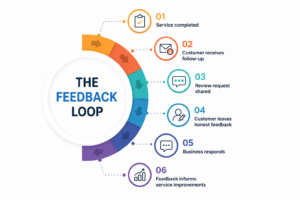
For Dubai businesses serving international audiences, reviews may arrive in English, Arabic and other languages. Respond appropriately rather than giving every customer the same generic reply.
13. Respond to positive and negative reviews
A response is an opportunity to demonstrate professionalism publicly.
For positive reviews, thank the customer and acknowledge something specific where appropriate.
For negative reviews:
- Stay calm
- Avoid arguing
- Acknowledge the concern
- Clarify facts where necessary
- Offer a private route to resolve sensitive matters
- Avoid revealing confidential customer information
Google recommends responding to reviews, and says helpful responses can help a business stand out.
14. Keep customer questions answered and information current
Google has been changing how its local questions and answers experience works. In December 2025, Google announced that it was evolving the feature so that customers could receive updated answers based on business-provided information and relevant reviews. Business owners could continue answering existing questions, while Google worked to make local answers more current.
The broader lesson is more important than the interface itself.
Keep the information Google can use to answer customer questions current.
Make sure your website, Business Profile and reviews consistently communicate useful facts about:
- Parking
- Languages
- Payment methods
- Accessibility
- Appointment requirements
- Delivery
- Cancellation policies
- Opening hours
Do not rely on an old Q&A entry to carry information that has changed.
15. Publish useful updates where the feature is available
Google Business Profile provides businesses with ways to share updates, offers, events and other information. Use these features when they genuinely help customers.
Good updates might cover:
- A new service
- A seasonal offer
- A new branch
- A community event
- Updated operating hours
- A useful announcement
- A new product
- A recent project
Avoid publishing repetitive “We are open today” posts simply to appear active.
The goal of local business SEO is to make a local business more useful and easier to choose, not to create activity for its own sake.
How Local Citations Strengthen Your Google Business Profile
Your Google profile is only one part of your local search identity.
Local citations are mentions of your business information on external websites and platforms. These can include directories, professional associations, review websites, industry publications and regional business listings.
Google does not publish a simple formula stating that a fixed number of citations will improve a local ranking. Instead, its official guidance explains that local prominence can be influenced by information across the web, including links, reviews and other sources about the business.
For a Dubai business, review your presence across relevant platforms rather than chasing every directory available.
Useful citation sources may include:
|
Citation type |
Examples |
|
Maps |
Google Maps, Apple Maps, Bing Places |
|
General directories |
Yelp, Yellow Pages and credible regional directories |
|
UAE business sources |
Relevant chambers and legitimate business directories |
|
Industry platforms |
Professional associations and sector directories |
|
Real estate |
Relevant property portals and industry platforms |
|
Hospitality |
Relevant travel and review platforms |
|
Professional services |
Industry associations and recognised directories |
The quality of the platform matters.
A listing on a credible UAE business resource that accurately identifies your company is more useful than hundreds of low-quality directory submissions.
Run a quarterly citation audit
Check:
- Business name
- Address
- Phone number
- Website
- Opening hours
- Business category
- Location information
Correct duplicate, obsolete or inaccurate listings where possible.
For a multi-branch organisation, make sure each legitimate branch has the right address and contact details. Do not merge separate locations simply because the business operates under the same brand.
This broader citation layer supports Google Business Profile optimization by creating a more consistent business identity across the web.
How to Measure Whether Your Profile Is Working
A profile can receive thousands of impressions and still generate little business.
Track actions, not vanity metrics alone.
1. Profile views
Monitor how often the profile appears and whether visibility changes after significant optimisation.
2. Website clicks
Measure how many profile visitors continue to the website.
3. Calls and messages
For many local businesses, these are more valuable than website sessions.
4. Direction requests
Particularly important for restaurants, clinics, retailers, salons, offices and other businesses that depend on physical visits.
5. Search queries
Review the searches associated with the profile. Are customers finding you for relevant services, products and locations?
6. Review volume and quality
Track review growth, average rating and recurring themes in customer feedback.
A useful monthly dashboard might look like this:
|
Metric |
What it tells you |
|
Profile views |
Local visibility |
|
Search queries |
Discovery intent |
|
Website clicks |
Interest beyond Google |
|
Phone calls |
Direct purchase intent |
|
Messages |
Enquiry intent |
|
Directions |
Physical visit intent |
|
Reviews |
Reputation and trust |
|
Local Pack visibility |
Competitive presence |
The aim of Google Business Profile management is to connect profile visibility with actual customer behaviour.
That means comparing GBP activity against enquiries, bookings, appointments, store visits and revenue wherever tracking allows.
Your Google Business Profile Is Your Local Storefront on Google
For many Dubai businesses, the customer’s first interaction does not happen on the website.
It happens on Google Search or Maps.
That first impression may contain your business name, category, photographs, reviews, location, hours and contact details. A profile that is incomplete or inaccurate can therefore lose a customer before the website has a chance to make its case.
The practical solution is straightforward: establish the correct foundation, keep the content useful, earn genuine customer trust and maintain consistent information across the wider web.
Local citations support that broader identity. Your website provides the deeper information. Your Business Profile connects the two within local search.
At Savit, Google Business Profile optimization and Google Maps Optimization form an important part of our local SEO work for businesses operating in Dubai and across the UAE.
Our Google Business Profile management covers profile setup, category selection, business information, services, photographs, review strategy and ongoing performance analysis. We also manage the wider local search signals that influence how a business is discovered beyond its profile.
Our local citations work focuses on building and maintaining accurate business information across relevant UAE and industry platforms. We audit inconsistencies so the business presents a reliable identity wherever customers search.
Our local business SEO services extend beyond Maps. We also work on location pages, neighbourhood targeting, technical SEO, local keyword strategies and on-site content designed around how customers search in Dubai.
Our Google Maps Optimization approach combines profile optimisation, reputation signals, citation management and broader local SEO rather than treating the Business Profile as an isolated listing.
Whether you operate a clinic, restaurant, property agency, school, professional practice, retail outlet or another local business, your strategy should reflect the way customers actually search for you.
If your Business Profile is underperforming, or you want to identify gaps across your profile, citations and local rankings, talk to our local SEO team for a free assessment.